How to Connect Your Shopify Store with Replifier
By Replifier Team · ·Email · Shopify
The business problem
An accessories store on Shopify sends an email campaign to their contact base. Opens come in, some clicks, and in the following days there are more sales than usual. But they cannot know with certainty whether those sales came from the campaign or were a coincidence: their email platform and their store are not connected.
What they need is for every time someone buys in the store, Replifier knows and associates it with the corresponding contact. That way campaigns that actually convert get measured, and so do the ones that don’t.
How Replifier solves it
When you connect your Shopify store, Replifier does two things automatically:
Customers become contacts. Replifier imports your store’s customers (identified by email address) and creates them as contacts in your brand. If a contact already existed, it completes the name without overwriting what you already had.
Every paid purchase is recorded as a conversion. Every time an order is paid in Shopify, Replifier generates the custom event shopify.order_paid with the purchase value and currency. That event is marked as a conversion in your account, and you can use it to find out how many contacts from a campaign ended up buying.
Replifier imports customers and purchases, but does not transfer email marketing subscriber lists or consent status from Shopify. Each contact is born with the status corresponding to your brand’s suppression rules.
Step by step
1. Start the process from Replifier
In Replifier, open the integrations section and select Shopify. Enter your store URL in the format my-store.myshopify.com (the Shopify subdomain, not your custom domain) and confirm.
2. Authorize Replifier in Shopify
You will be redirected to Shopify to approve the connection. Replifier requests only read customers and read orders permissions (read_customers, read_orders). Click Install or Authorize to approve.
3. Return to Replifier
After authorizing, Shopify redirects you back to Replifier. The connection becomes active automatically and Replifier registers the necessary webhooks in your store to receive real-time events: orders/paid, customers/create, customers/update, and app/uninstalled.
4. Wait for the initial sync
Replifier starts a sync of your customer and paid order history. Each step processes up to 1,000 records, so depending on your catalog size it may take a few minutes. You can review progress in the integration panel.
5. Verify the imported contacts
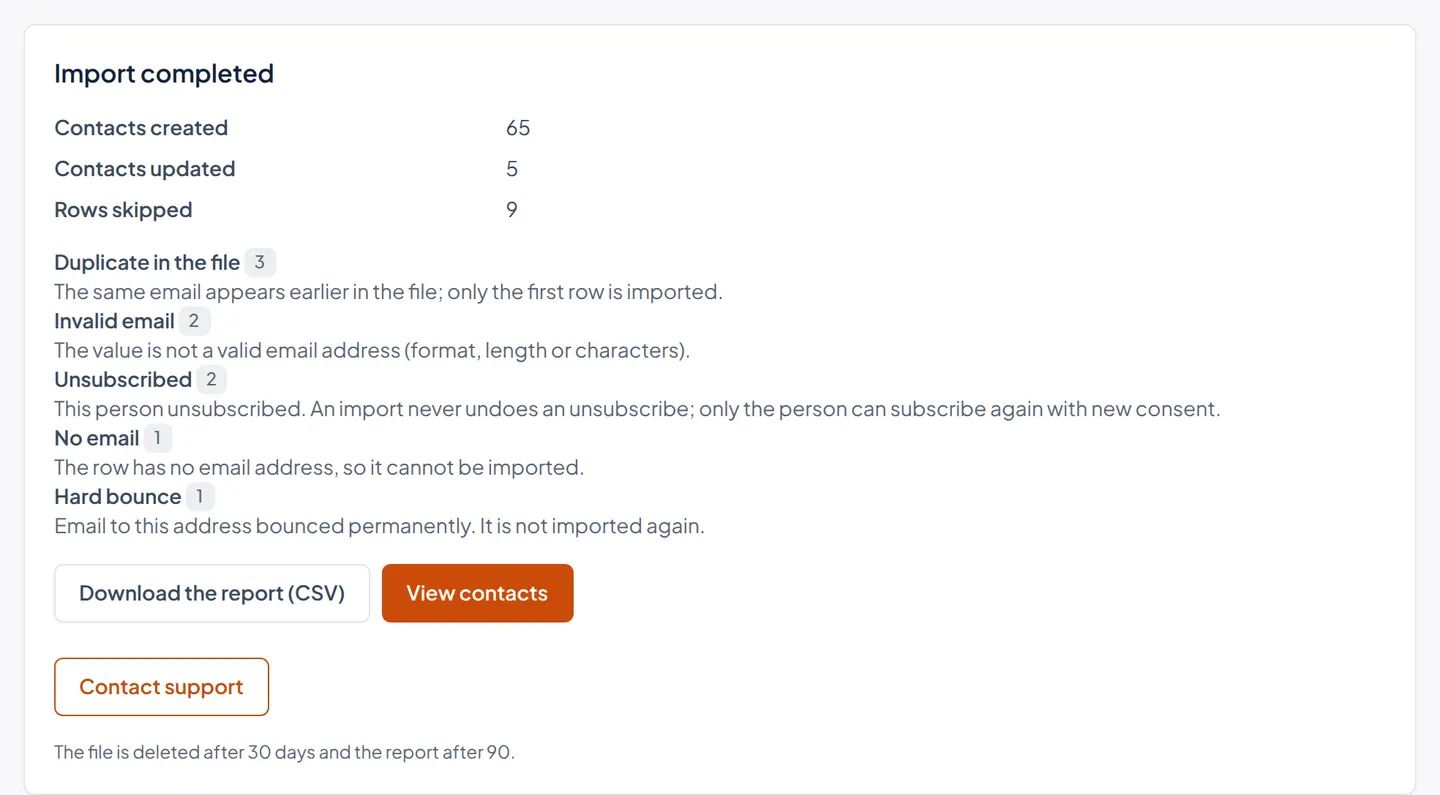
Once the sync is complete, your Shopify customers appear as contacts in Replifier. From that point on, any new purchase or customer update arrives in real time via webhook.
What you should see when you’re done
- The integration shows active status in Replifier.
- Imported contacts appear in your brand’s contact list.
- The event
shopify.order_paidappears in your brand’s custom event list. - You can create segments or filters based on that event to analyze how many contacts from a campaign ended up buying.
Common errors
| Error | Cause | Solution |
|---|---|---|
shopify_shop_invalid |
The store URL is not in the correct format | Use the format my-store.myshopify.com (no https:// and no trailing slash) |
shopify_already_connected |
An active integration already exists for that store | A store can only be connected once per brand; check your existing integrations |
shopify_unauthorized |
The access token expired or was revoked | Re-authorize the connection from Replifier |
shopify_unavailable |
The store did not respond or returned an error | Verify that the store is active in Shopify and try again |