For Sendy users
Like Sendy, but not maintaining it?
Replifier gives you a simpler way to manage your campaigns with your own sending account. No installing the platform on your server, no watching the queue and the cron.
No card needed. We help you migrate from Sendy.
Connect Amazon SES, SendGrid, Mailjet, Azure Communication Services or SMTP. Your provider bills you directly for the sending.
Sendy
You maintain it
- Server
- Installation
- Database
- Cron
- Sending provider
Replifier
Replifier manages it
- Managed platform: campaigns and queue
- Your sending account
The Sendy license is paid once. Running it costs time and resources every month.
Sendy can have a very low license price. But to use it you also need a place to install it and someone to take care of the setup, the server, the database, the cron, the updates and the problems when they show up. That work has a cost, even when you do it yourself.
With Replifier you pay for a managed platform and stop administering that infrastructure. You keep your sending account and control over what you pay the provider for each send.
Did the queue stall?
Replifier manages the queue, respects your provider's limits and can pause and resume sends without duplicating them.
Don't want to look after another server?
You don't need to install Replifier on your hosting or keep a cron running for it to process your campaigns.
Worried about switching tools?
Replifier includes options to migrate data from Sendy and helps you through the process. Before confirming an import you can review what will be included and what will be skipped.
Situations that may sound familiar
These are fictional examples to show situations the product solves. They are not customer quotes.
Illustrative scenario
The license was cheap; the time I spent checking the server and the queue was not. Now Replifier manages the sends and I can focus on the campaign.
Illustrative scenario
When I compared Sendy, I was only counting the license. Once I added hosting and maintenance hours, a managed platform started to make a lot more sense.
Illustrative scenario
I didn't want to redo my sending setup or put my list's unsubscribes at risk. I could connect my current provider and review the import before confirming.
Less maintenance. More clarity on every send.
Use your own sending account
Connect Amazon SES, SendGrid, Mailjet, Azure Communication Services or a compatible SMTP server. Messages go out through your provider; Replifier coordinates the sends and records the events the provider reports.
Leave the queue to Replifier
Don't configure or watch cron jobs to process campaigns. Replifier manages the queue and respects your provider's sending limits.
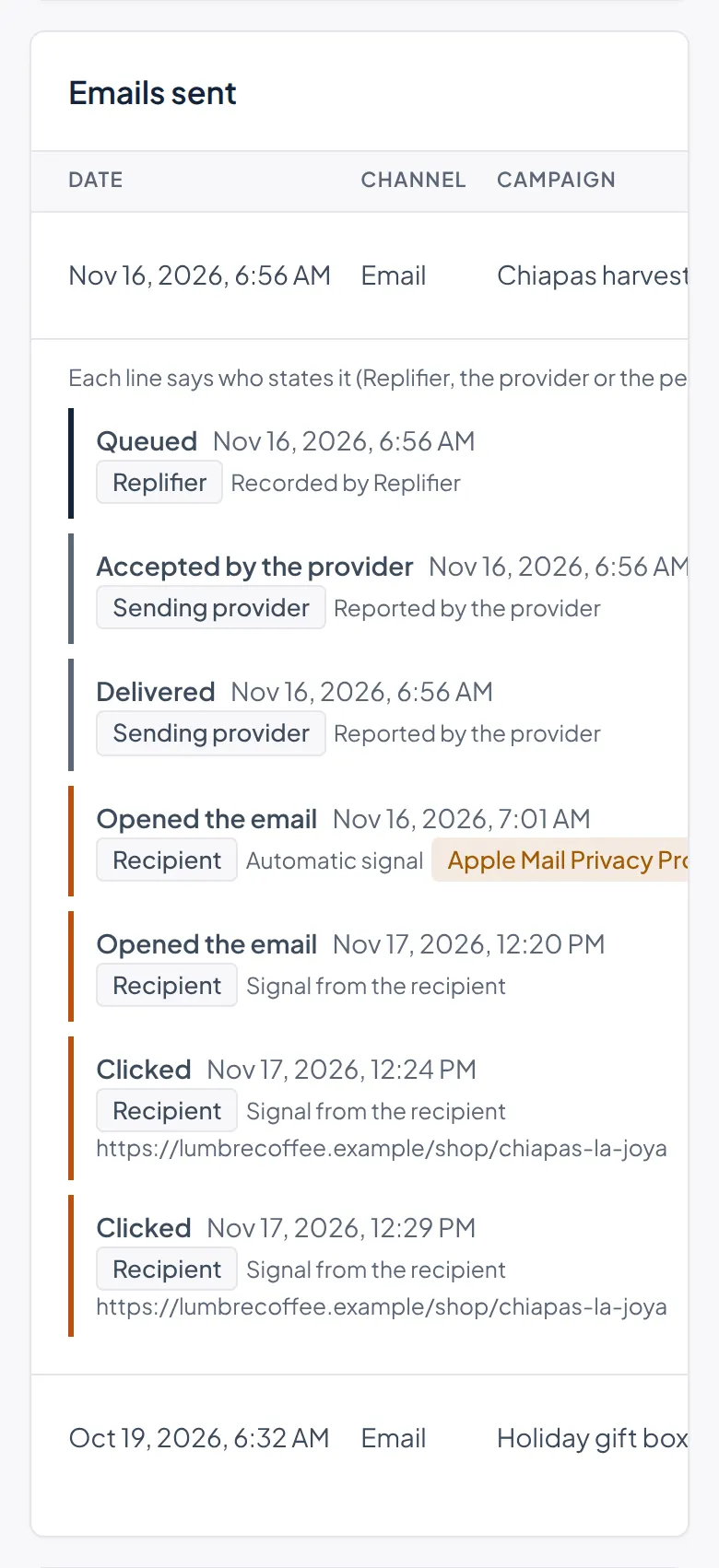
See what happened to each email
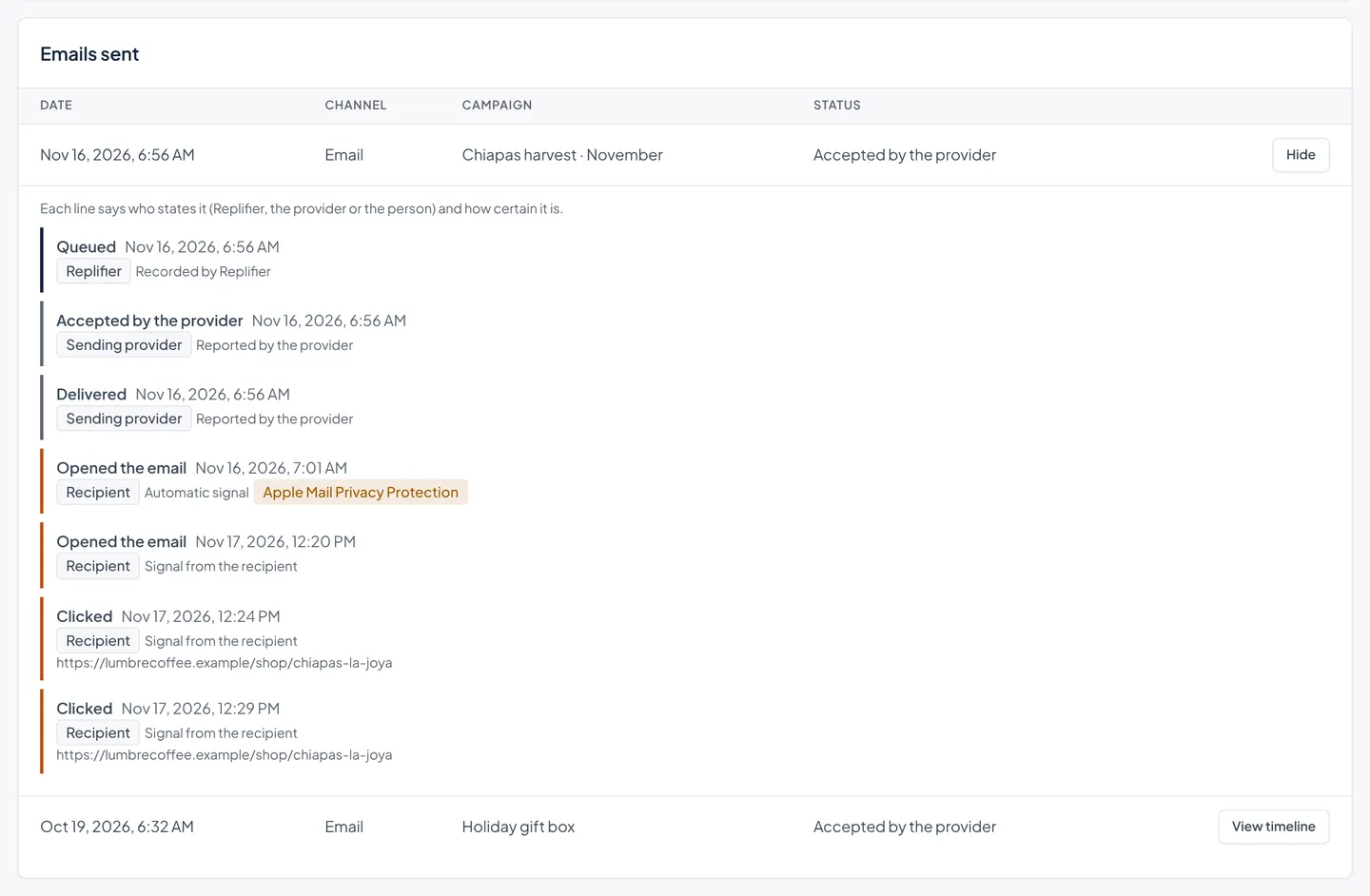
Check a per-recipient timeline with Replifier's actions, the events reported by the provider and the observed interactions. Replifier also separates automatic opens from those that look like real people.
Migrate with visibility
Import lists, contacts, fields and unsubscribe, bounce and suppression states. Review the contacts that will be included or excluded before confirming. You can also migrate templates, campaigns, segments and autoresponders; compatibility may depend on how they are set up in Sendy.
Don't change email provider just to change platform
Connect the sending account you already use. You don't have to move your sending by default to the infrastructure of a different email marketing provider.
What it looks like in the dashboard
Real Replifier screenshots, not mockups.
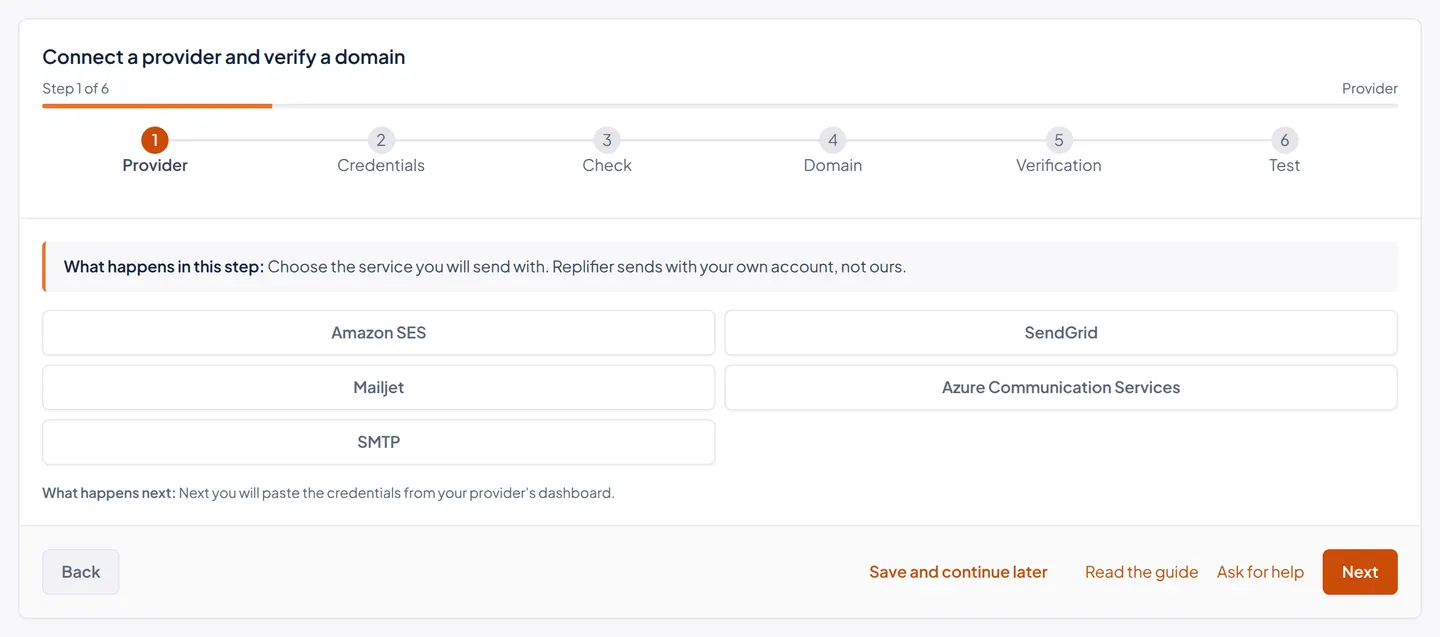
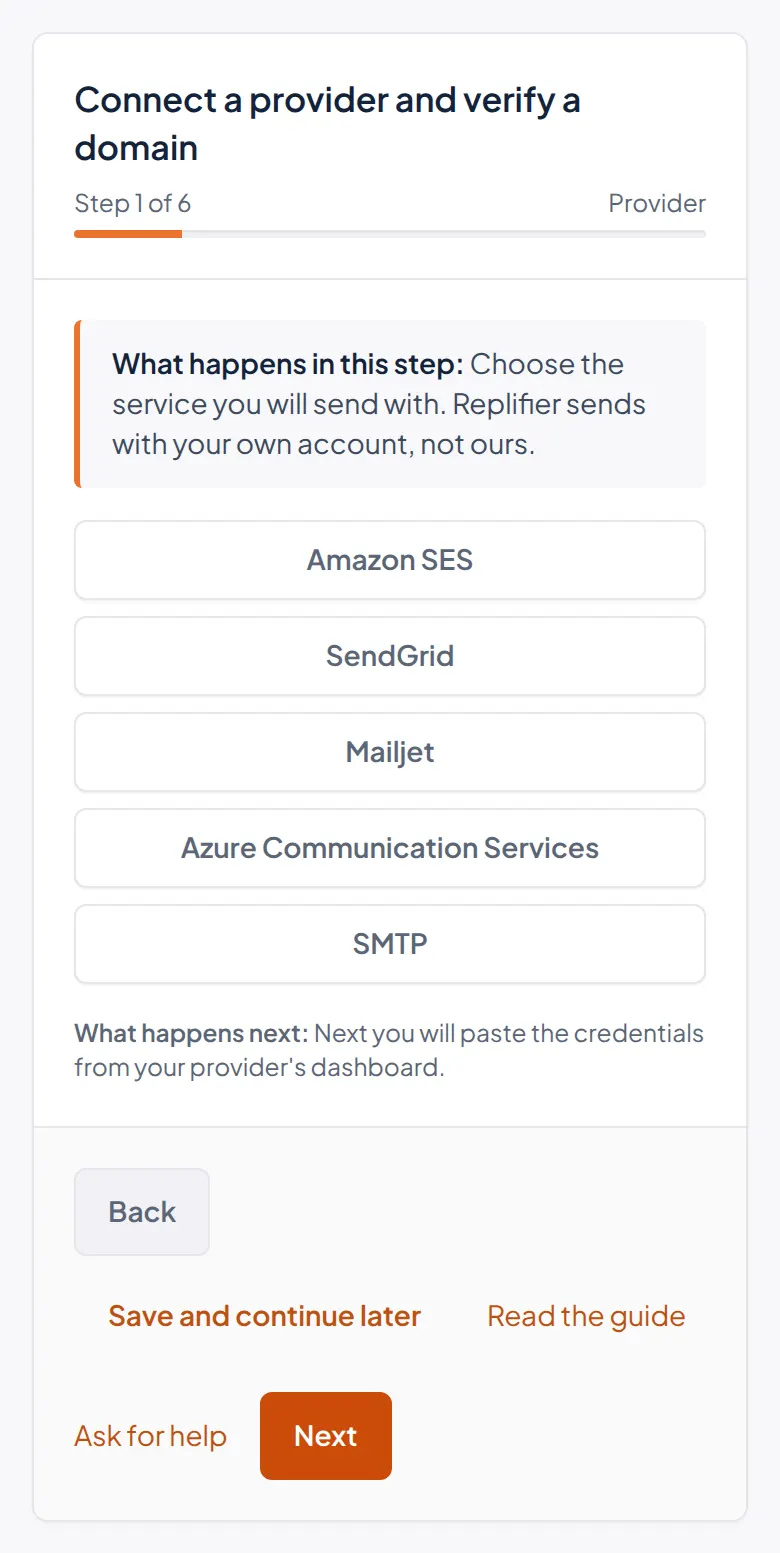
Connect your sending provider
Pick Amazon SES, SMTP or another provider and follow six steps to the test email.
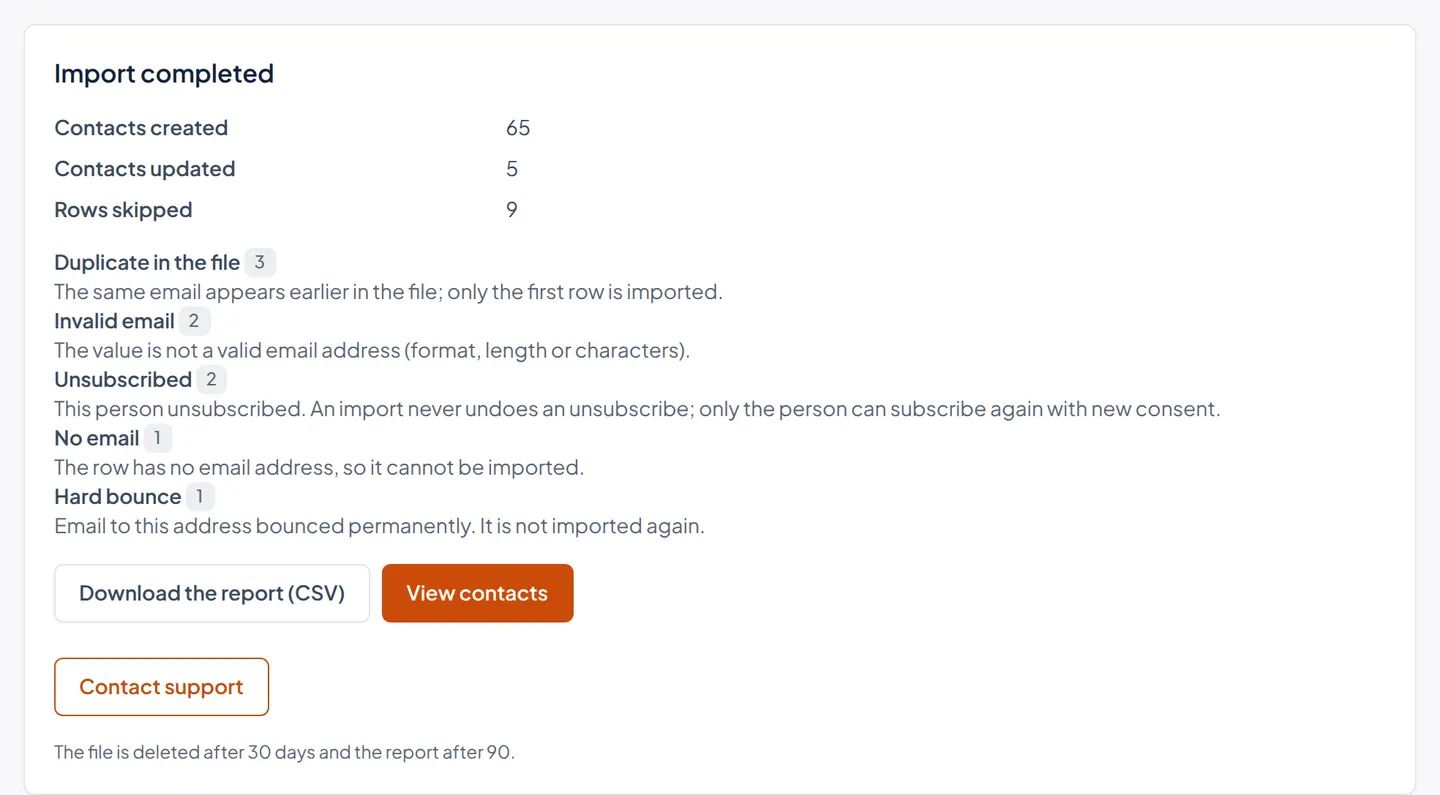
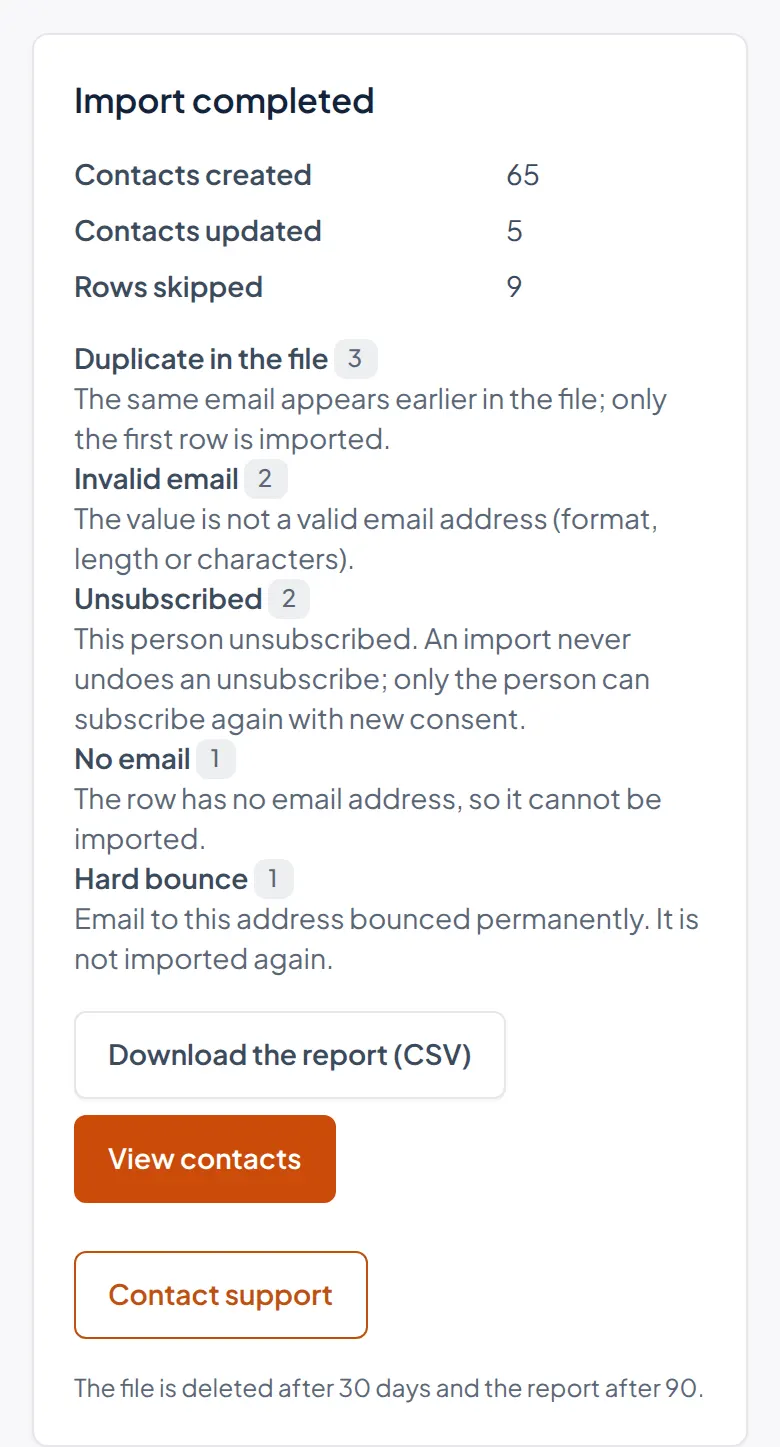
Import with a review first
You see who is imported, who is skipped and why, before confirming.
A queue you can pause
Pause a send halfway, resume it whenever you want, or cancel it.
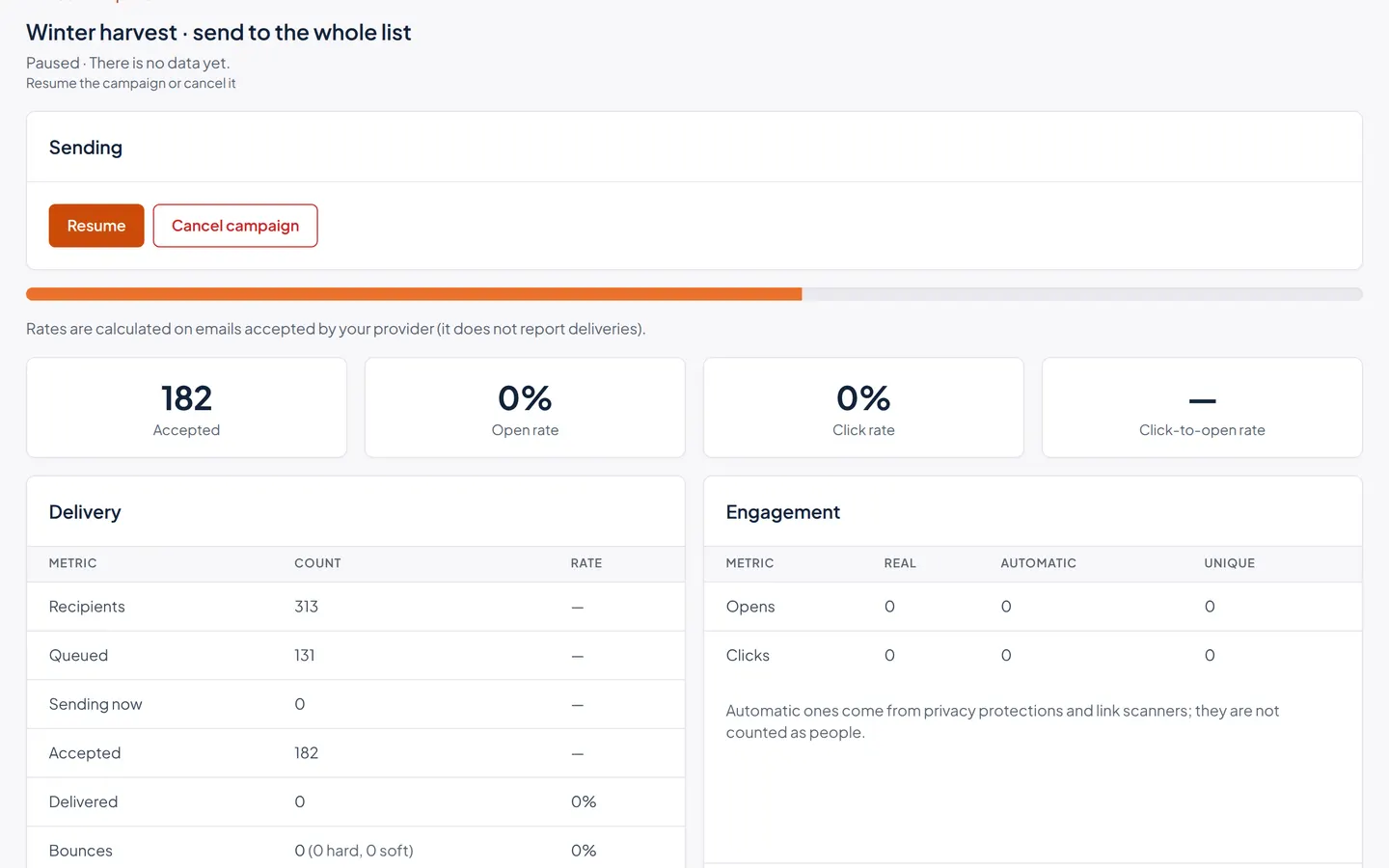
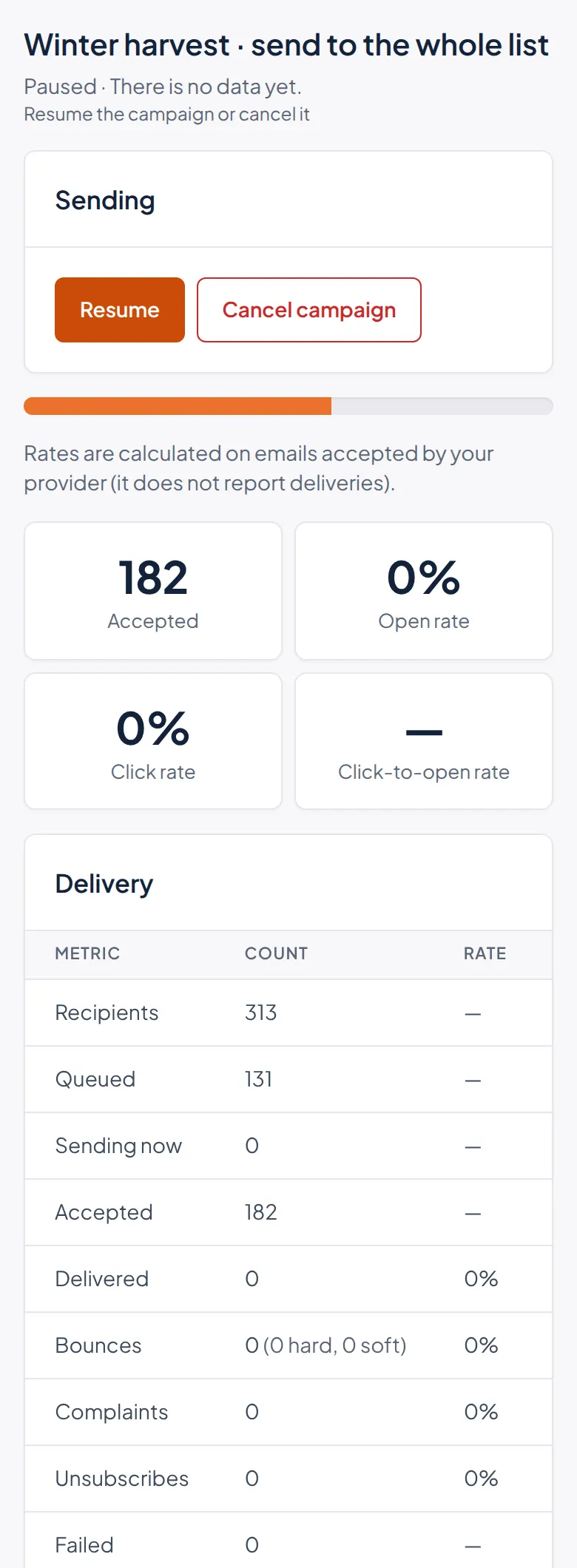
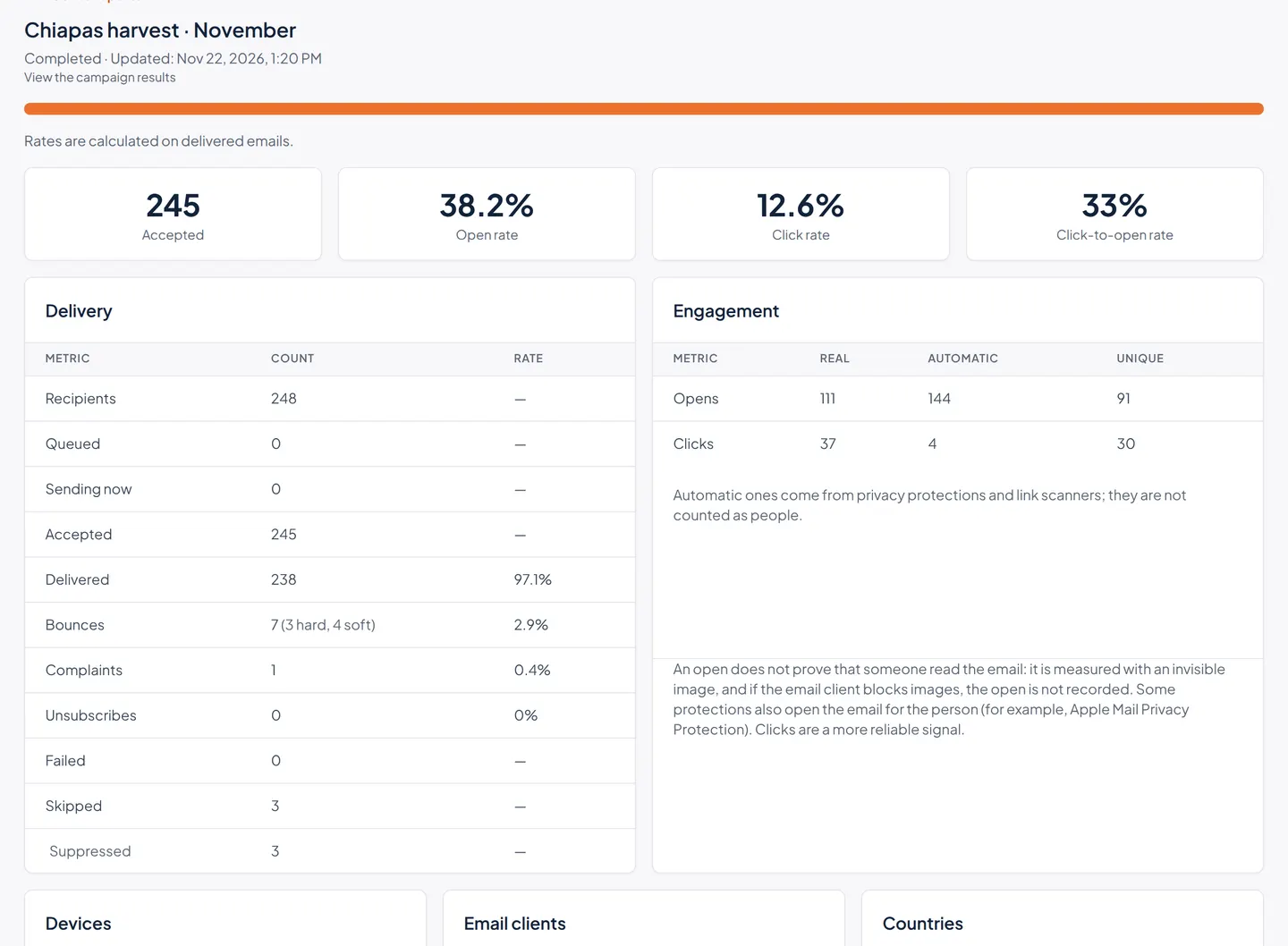
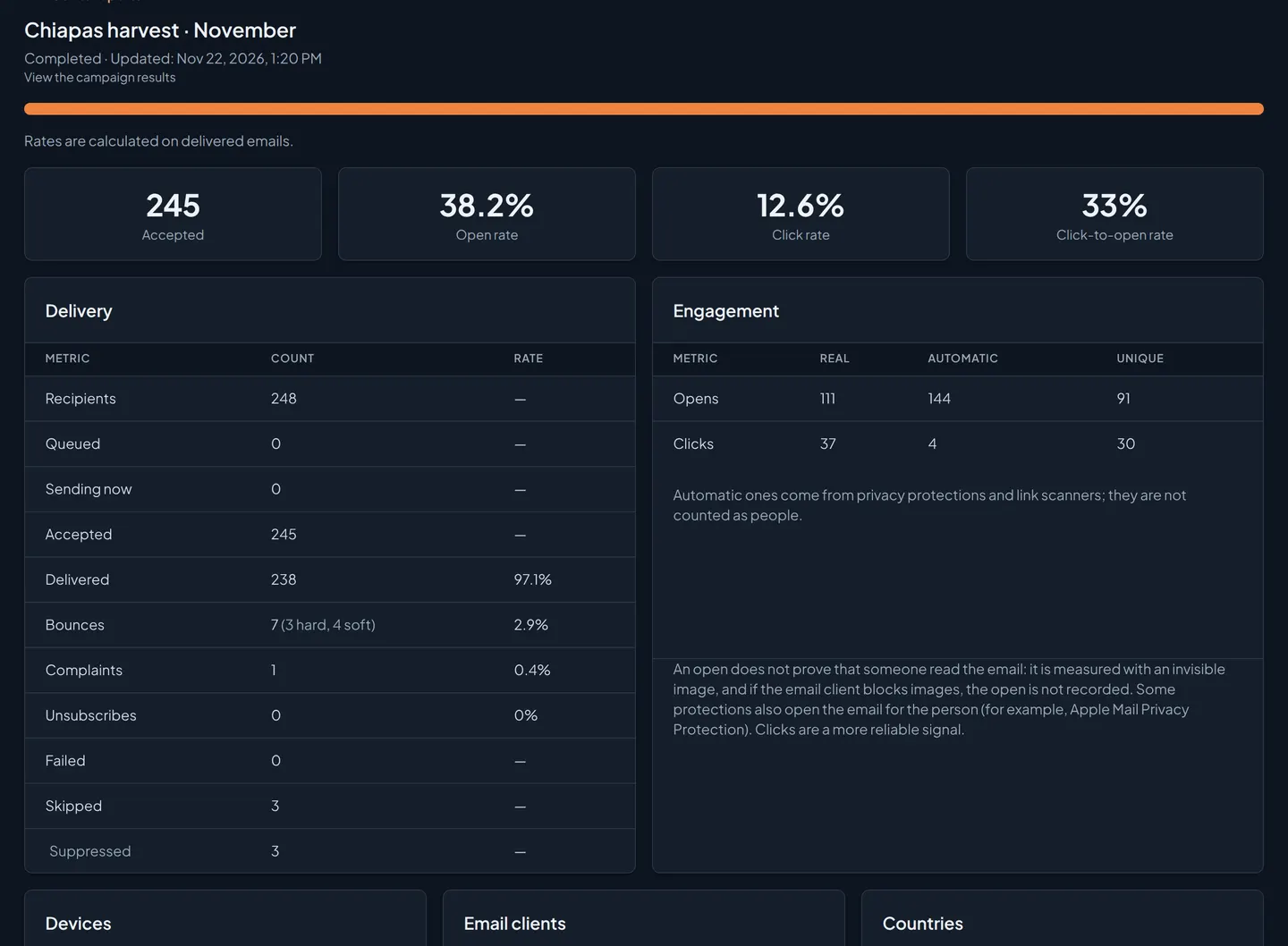
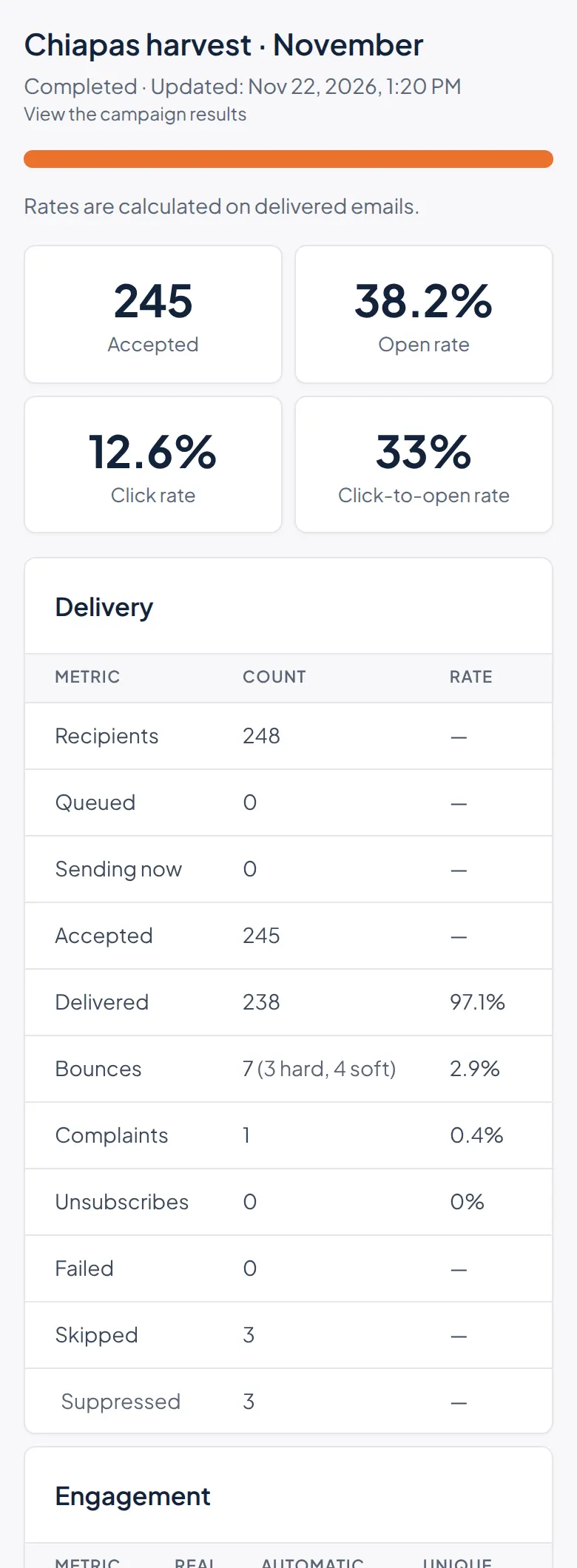
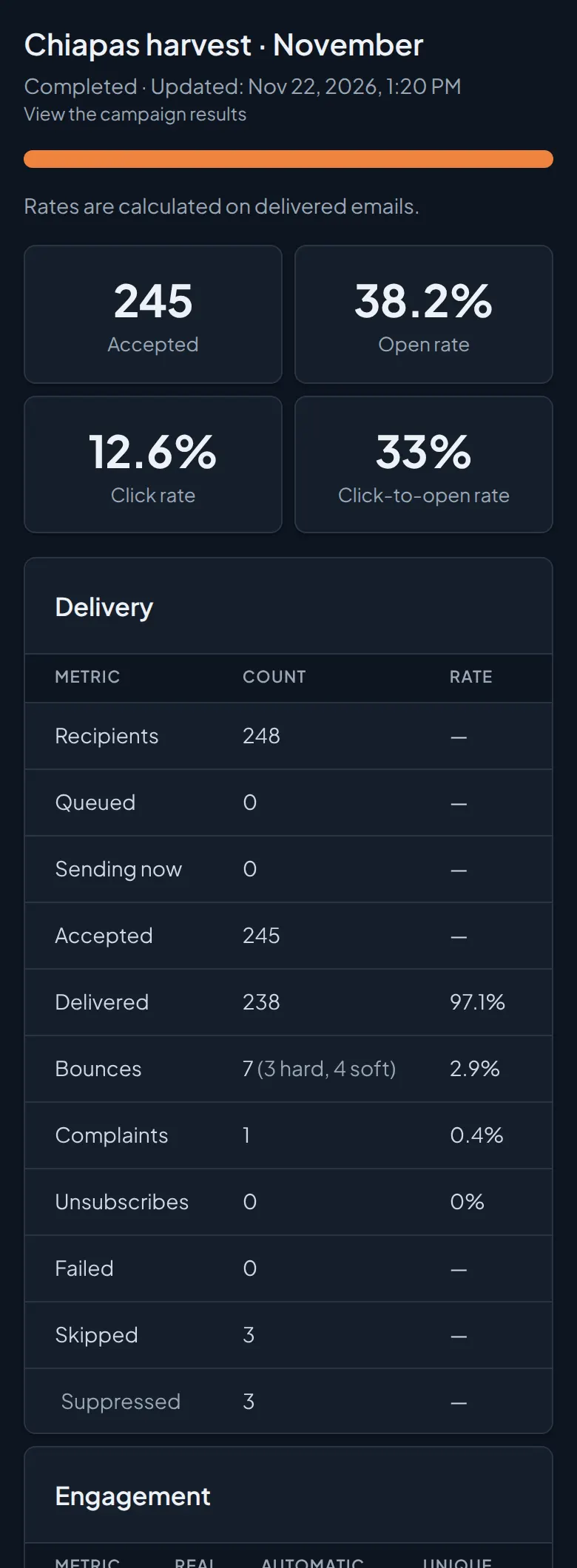
Per-campaign report
Deliveries, real and automatic opens kept apart, clicks, bounces and complaints.
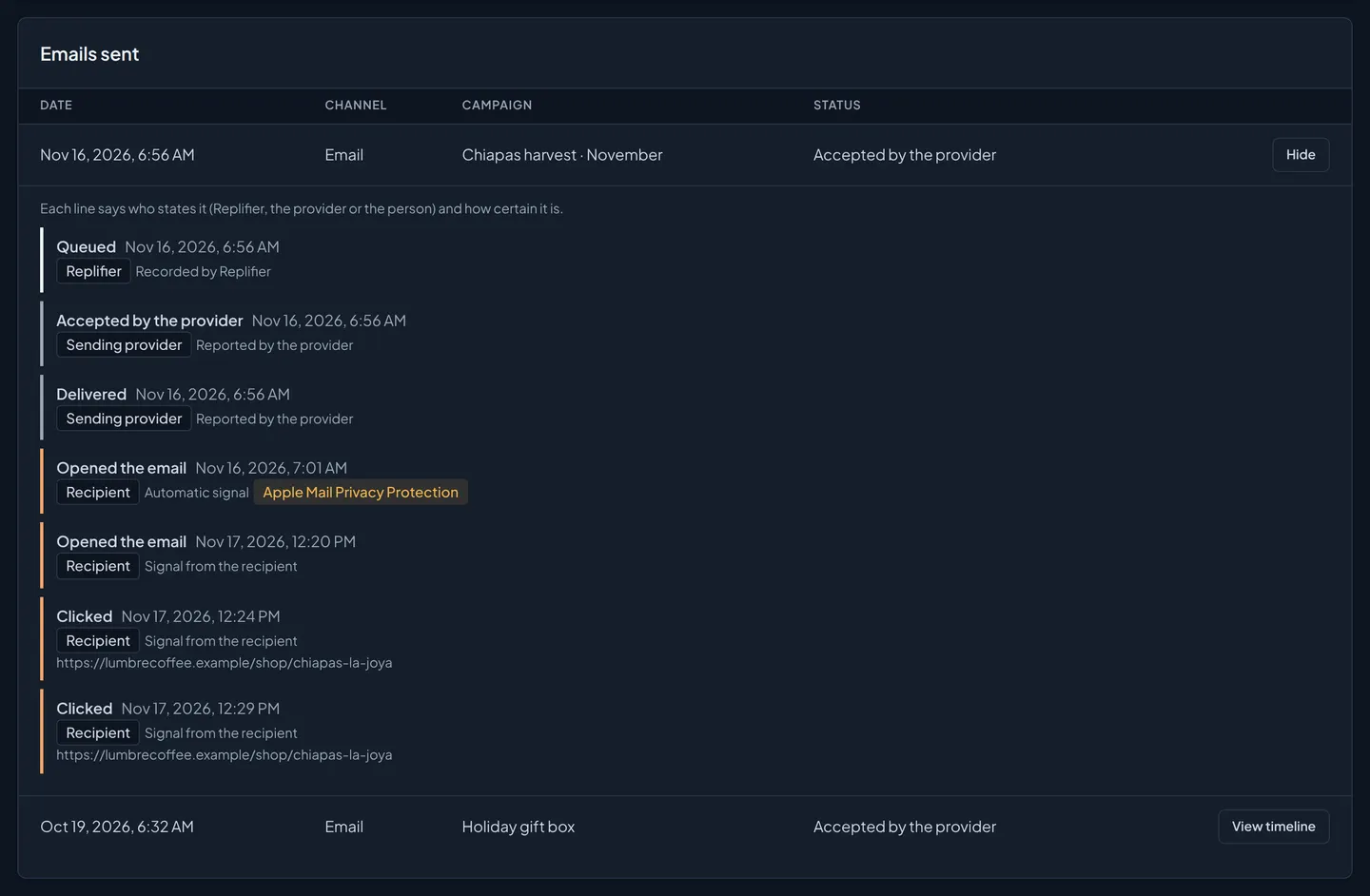
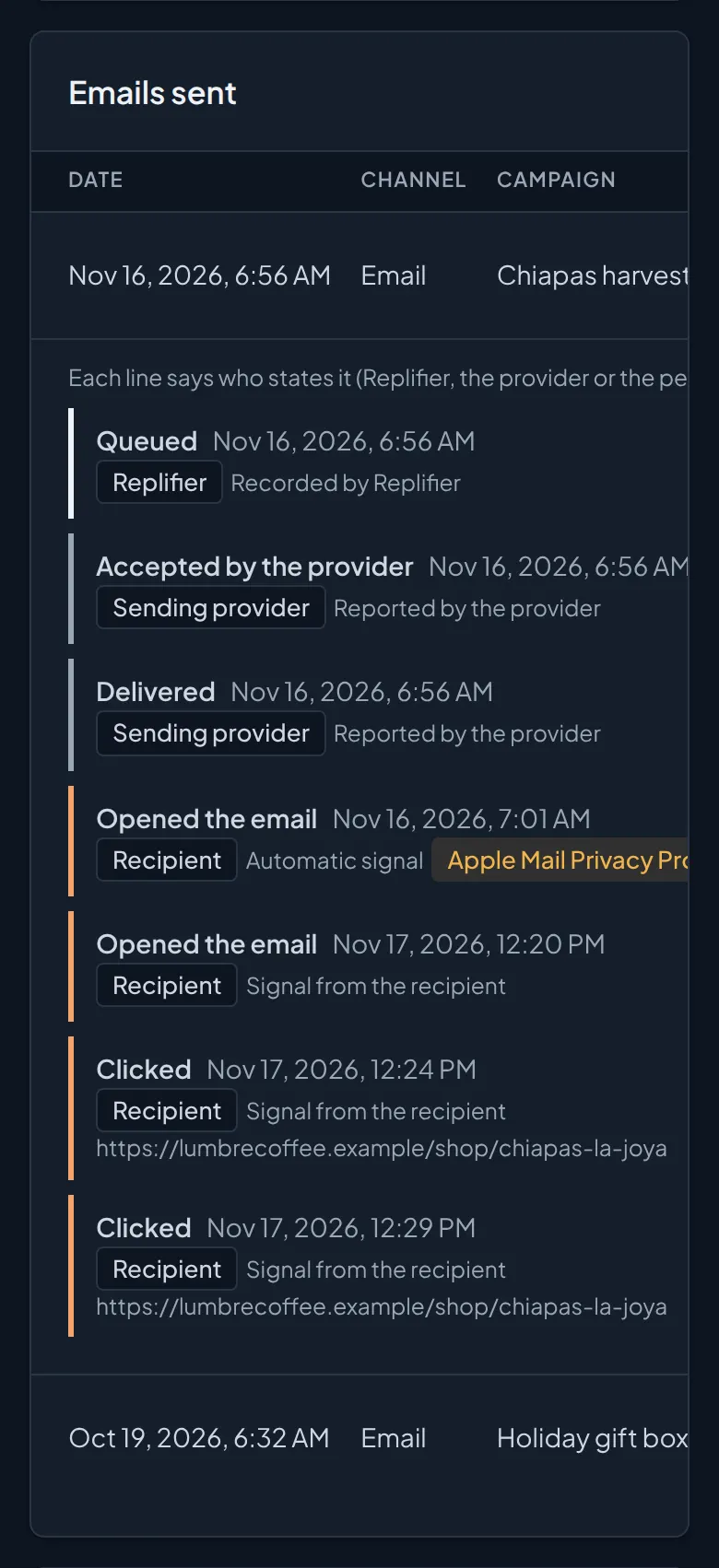
What happened to each recipient
From send to click: what Replifier did and what your provider reported.
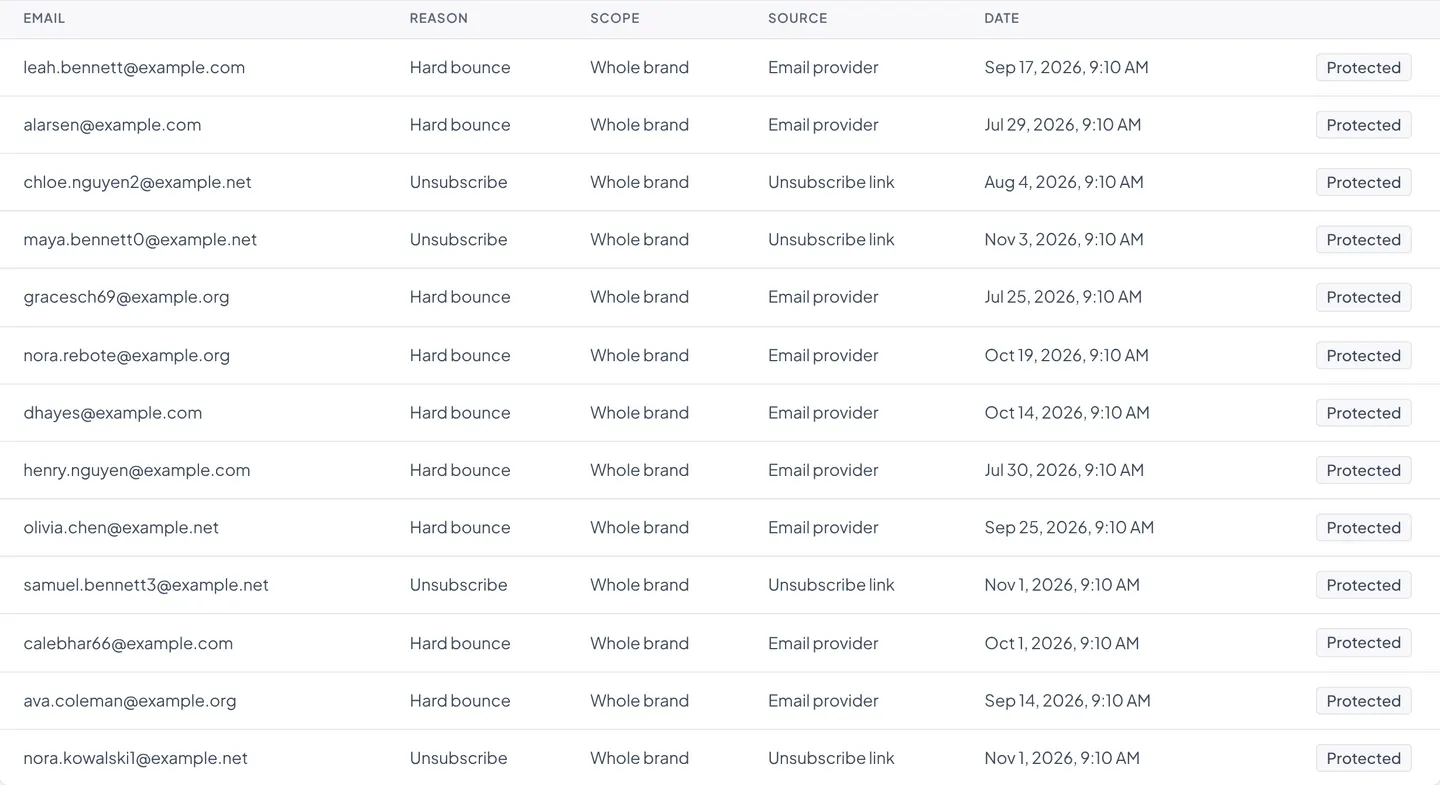
Unsubscribes and bounces under control
Anyone who unsubscribes or bounces goes on the suppression list, with the reason, and is not emailed again.

Compare the real cost of running it, not just the license price
| What you compare | Sendy | Replifier |
|---|---|---|
| Platform model | Self-hosted application that you install on your own server. | Hosted service, with plans per brand. |
| Platform server management | You or your team handle the installation and the environment it runs in. | You don't install Replifier on your hosting or keep a cron for its queue. |
| Sending provider | Amazon SES and some compatible SMTP providers. | Your Amazon SES, SendGrid, Mailjet, Azure Communication Services or compatible SMTP account. |
| Sending charges | Billed by your provider, for example Amazon SES, at its prices. | Your provider bills the sending directly; Replifier charges one plan per brand per month. |
| Platform cost | One-time license; also consider hosting or a server and the cost of installing, maintaining and fixing problems. | Monthly plan per brand; Replifier manages the platform. |
| Operating time | Taken on by you, your team or someone hired to maintain the installation. | You don't administer the application server or keep a cron for its queue. |
| Campaign queue | Runs from the installation you maintain. | Replifier manages the queue, respects provider limits and can pause and resume without duplicates. |
| Migration from Sendy | Not applicable: you are already using Sendy. | Migrator for compatible data and items; help available during the migration. |
| Best if… | You want to control your own installation and minimize recurring payments for the platform. | You want to keep your sending provider and reduce the work of running the application and the server. |
The Sendy license is a one-time payment, but it alone is not the cost of running it. When comparing total cost, include hosting or a server, installation, maintenance, support and the value of the time invested. With Replifier you pay a recurring plan per brand in exchange for a managed platform and less operational work. The final cost varies with your hosting, the number of brands and the time you spend on Sendy today; the sending is paid directly to your provider in both cases. This page does not promise savings: add up your own numbers.
Move from Sendy without starting over.
Bring your data to Replifier and review the result before confirming. The migration can include:
- Lists, contacts and fields.
- Unsubscribes, bounces and suppressions.
- Compatible templates, campaigns, segments and autoresponders.
- Your Sendy domain, to keep old unsubscribe and click links working if the domain setup migrates correctly.
You don't have to do it blind: review who will be imported, who will be skipped and why. If you need help, the Replifier team can walk you through it.
Help me migrate from SendyThe migration is a process with a review beforehand and protection of unsubscribe, bounce and suppression states.
Pay for the platform. Your provider bills the sending.
Replifier charges one monthly plan per brand. Your email provider bills you directly for the sending, with no middleman and no markup from Replifier. There is a free plan, and you can try Growth for 14 days without a card.
Don't compare just the license with a monthly fee. Compare the total cost of maintaining it.
The Sendy license is only one part of the bill. Add the server or hosting, the installation, the maintenance, the updates, the support and the hours that you or your team invest. Replifier puts the managed platform in one plan per brand and removes the need for you to maintain the application server. The sending is still billed directly by your provider. For many operations, removing the recurring cost of administering Sendy can make Replifier a good alternative on total cost, besides saving time; the result depends on your current costs.
Frequently asked questions
Is Replifier a hosted version of Sendy?
No. Replifier is a different platform for managing campaigns. It shares with Sendy the idea that you can send from a provider account you control, but Replifier is a hosted service and has its own plans and features.
Do I have to leave Amazon SES?
No. You can connect your own Amazon SES account. You can also use SendGrid, Mailjet, Azure Communication Services or a compatible SMTP server.
Does Replifier charge me for every email sent?
No. Replifier charges one plan per brand per month and adds no markup on the sending. Your email provider bills you directly according to its prices and terms. Check the Replifier plans page and your provider's current rate.
Does Replifier cost less than Sendy?
The Sendy license is a one-time payment, but that is not the whole bill. Also consider hosting or a server, installation, maintenance, support and the time that you or your team spend running it. Replifier charges one monthly plan per brand and manages the platform. When you add up the real cost of maintaining Sendy, Replifier can be the more convenient alternative on total cost, besides freeing up time. The concrete result depends on your current costs; compare your case with Replifier's current prices.
What do I have to maintain if I use Replifier?
You don't have to install the Replifier application on your server or keep a cron to process its queue. You remain responsible for your sending account, your domain, your content and complying with your provider's rules.
Can I migrate my contacts and unsubscribes from Sendy?
Yes. Replifier has a migration flow for Sendy data that keeps states such as unsubscribes, bounces and suppressions. Before confirming, you can see which contacts will be imported and which will be skipped. Some items, such as segments or autoresponders, may need a review after migrating.
Do my old Sendy links keep working?
The unsubscribe and click links of old campaigns can keep working if you point the domain that Sendy used to Replifier and complete the migration setup. It is not automatic in every case.
Does Replifier guarantee my emails reach the main inbox?
No. No platform can guarantee inbox placement. Replifier offers domain and list controls, monitoring and reports to help you spot problems; delivery also depends on the provider, reputation, content and other factors.
Can I try it before paying?
Yes. Replifier offers a 14-day trial of the Growth plan without a card, and also a free plan. When the trial ends you can choose a plan or stay on the free plan.
Does this mean there is no dependence on Replifier?
It would be wrong to promise that. Replifier is a hosted service with monthly plans. The concrete benefit is that you connect your own sending account instead of depending on the platform's email provider, and you can migrate data from Sendy.
Keep your sending provider. Drop the platform maintenance.
Try Replifier for 14 days and find out how much simpler managing your campaigns can be without taking care of the application server.
No card needed. We help you migrate from Sendy.