How to Connect Your WooCommerce Store with Replifier
By Replifier Team · ·Email · WooCommerce
The business problem
A home goods store has WooCommerce and a contact base they send email campaigns to regularly. After each campaign, they notice a certain increase in sales, but can’t confirm whether it’s because of the email or some other factor. Their store and their communication platform are separate worlds.
What they need is for every paid purchase in the store to be recorded as a conversion linked to the contact who bought. That way they can tell which campaigns generate real sales and which don’t.
How Replifier solves it
When you connect your WooCommerce store, Replifier imports your customers and records every paid purchase as a conversion event.
WooCommerce customers become contacts. Replifier imports customers identified by their email address. If the contact already existed in your brand, it is completed; if new, it is created.
Every paid order becomes a conversion. When an order in WooCommerce transitions to processing or completed status, Replifier generates the custom event woocommerce.order_paid with the purchase value. Replifier records this idempotently — even if an order changes status multiple times, the event is recorded only once per order.
The connection uses WooCommerce REST API v3 with a Consumer Key and Consumer Secret pair generated by your own WordPress. This means the credentials are generated and managed directly from your WordPress dashboard without passing through Replifier servers during authorization.
Step by step
1. Generate API keys in WordPress
In your WordPress dashboard, go to WooCommerce > Settings > Advanced > REST API and create a new key. Configure it as:
- User: the administrator who will use the integration
- Permissions: Read/Write (necessary for WooCommerce to create webhooks automatically)
When you save, WordPress will display the Consumer Key (starts with ck_) and the Consumer Secret (starts with cs_). Copy them at that moment; the Secret is not shown in full again.
2. Add the connection in Replifier
In Replifier, open the integrations section and select WooCommerce. Enter:
- Store URL: your site’s public URL in the format
https://mystore.com(no trailing slash; must be a public URL with HTTPS) - Consumer Key (
ck_...) - Consumer Secret (
cs_...)
Replifier only accepts public HTTPS URLs. Local domains such as
localhost,.test,.local, or private IP ranges are not accepted.
3. Verify the connection
Replifier validates the credentials by connecting to your store’s REST API. If everything is correct, the integration becomes active and Replifier automatically registers webhooks in your WooCommerce for events: order.created, order.updated, customer.created, and customer.updated.
Webhooks use HMAC-SHA256 signatures to ensure notifications come from your store.
4. Wait for the initial sync
Replifier imports your existing customer and paid order history. You can see progress in the integration panel.
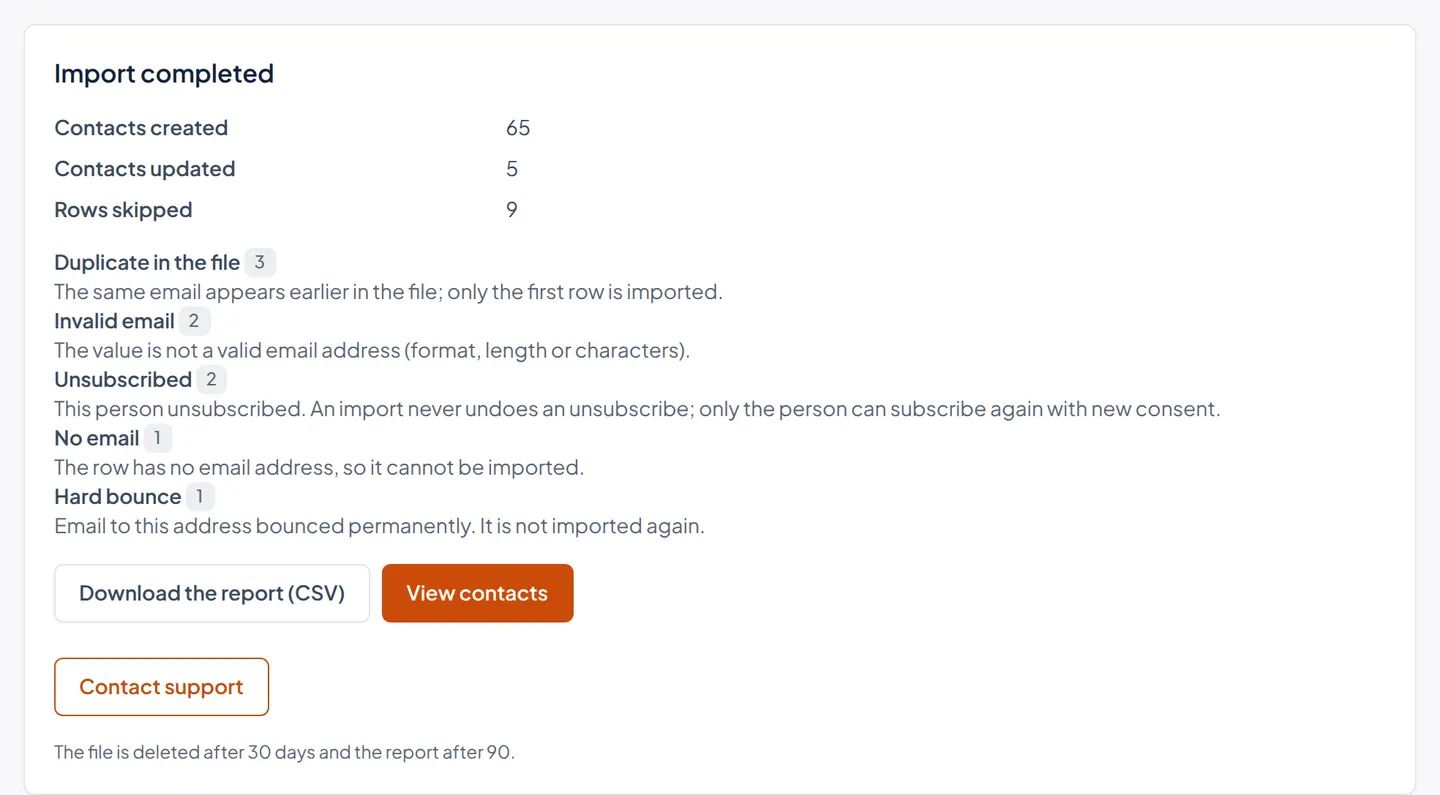
5. Verify the imported contacts
Once the sync is complete, your WooCommerce customers appear as contacts in Replifier. New purchases and customer updates arrive in real time via webhook from that point on.
What you should see when you’re done
- The integration shows active status in Replifier.
- Imported contacts appear in your brand’s contact list.
- The event
woocommerce.order_paidappears in your brand’s custom event list. - You can create segments or automations triggered by that event to analyze the impact of your campaigns.
Common errors
| Error | Cause | Solution |
|---|---|---|
woocommerce_store_invalid |
The store URL is invalid or is a local domain | Use a public HTTPS URL; localhost, .test, .local, and IPs are not allowed |
woocommerce_unauthorized |
The keys are incorrect or were revoked | Verify that the Consumer Key and Consumer Secret are correct and have read/write permissions |
woocommerce_webhook_signature |
The webhook signature does not match | Verify that the credentials saved in Replifier correspond to the store sending the webhooks |
woocommerce_unavailable |
The store did not respond or is in maintenance mode | Verify that the store is active and accessible from the internet |