Consent: Who You Can Email in Replifier
By Replifier Team · ·Email
The business problem
A cleaning services business with two years of operations had built up a list of around 3,000 contacts over that time: customers who had hired the service, prospects from trade shows, downloads of a maintenance guide, and some contacts from purchased databases years ago. They wanted to start sending newsletters and offers, but they were not sure which of those contacts they could reach without putting their sending reputation at risk.
The underlying question was simple: who on that list had actually given them permission to write to them?
How Replifier solves it
Replifier enforces one rule automatically, with no exceptions: messages are only sent to someone who gave permission and has not revoked it since. That rule is applied before the message goes out, not after.
The system runs two checks before any send:
- Verified domain: the sender’s domain must have SPF, DKIM, and DMARC configured. Without that, the send is rejected with
sender_domain_unverified. - Contact not suppressed: if the recipient has an active suppression for any reason, the message does not go out.
When you import contacts from another platform, Replifier also records the historical consent those contacts gave you at the source.
Step by step
1. Verify your domain is authenticated
Before any campaign, confirm that your domain shows as healthy in Settings → Sending Identities. If not, set up SPF, DKIM, and DMARC before continuing.
2. Review existing suppressions
In Contacts → Suppressions, you can see who is blocked and why. Possible reasons are: voluntary unsubscribe (opt_out), hard bounce (hard_bounce), spam complaint (complaint), provider block (provider_block), manual suppression, or do-not-contact registry.
An active suppression blocks all future sends to that contact, even if you re-import them from another source. The unsubscribe always wins.
3. Import with declared consent
When you upload contacts from another platform (Mailchimp, Sendy, CSV), Replifier records them with consent mode declared and attested=true. This means you are attesting that those contacts gave you permission at the source.
Contacts with an unsubscribe or hard bounce at the source platform arrive as suppressed and are not re-subscribed. Contacts with pending double opt-in go into a queue until they confirm; there is no way to skip that step, not even via API.
4. Handle unsubscribes immediately
When a contact unsubscribes, the suppression is recorded before the system confirms the request to the contact. There is no window in which a contact has unsubscribed but can still receive an in-flight message.
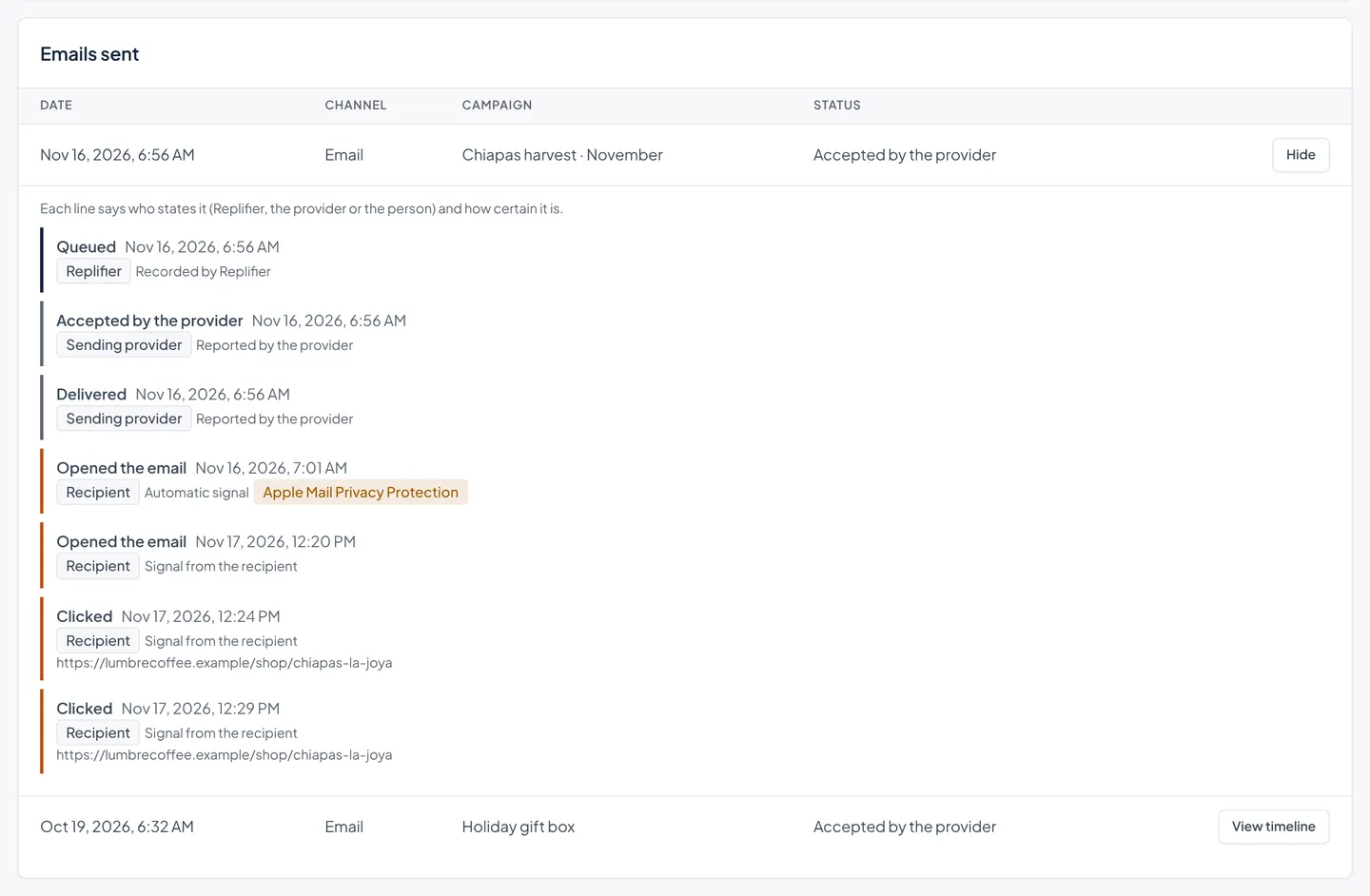
If that contact wants to reactivate later, re-consent must come from new and valid evidence: a new subscription, not a re-import of the same file.
5. Record consent via API (if applicable)
When you declare a contact’s consent through the API, the source field only accepts the values "api" or "import". Other origins are managed by Replifier directly from its dashboard or forms. If your integration sends a different value, the system responds with the error consent_source_not_allowed.
What you should see when done
- Your domain shows as healthy in sending identities.
- Imported contacts have
declaredconsent visible in their profile. - Contacts with an unsubscribe or bounce appear as suppressed and do not receive campaigns.
- Contacts pending double opt-in are in the queue (if any existed).
Common errors
| Error | What it means | What to do |
|---|---|---|
sender_domain_unverified |
The sender’s domain is not verified | Set up SPF, DKIM, and DMARC before sending |
consent_source_not_allowed |
The source field in the API has a disallowed value |
Use only "api" or "import" as the value of source |